Wireframe: Teaser Gallery
This is a wireframe to highlight certain aspects of an organisation’s portfolio through teasers and encourage its users to explore the site on a deeper level. Note that this is not a final design, it is a wireframe created in Figma.
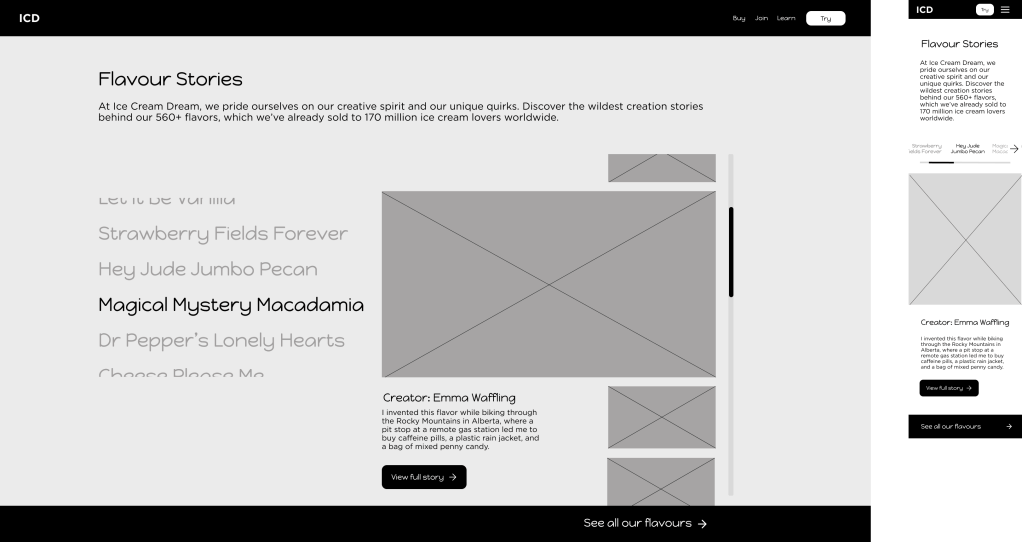
Functionality. A scrolling side panel teaser gallery which contains both large images and small previews of large images. A sticky banner may also be added to direct users to all gallery articles, so that they can easily access related information.
Interaction. On a desktop, users can either scroll down or click/tap on the item on the left to expand the teaser. To read more, users can click or tap on the CTA below the introductory text. On mobile, users navigate using the directional arrows. When the user moves to the next or previous article, the scroll position indicator will also move.
Elements. Navigation, Heading, Subheading, Large Image, Small Preview Image, Body Text, CTA, Sticky Banner, Directional Arrows.
Prototype – Sign Up Screen
This was one of my first UI design practice tasks for the UI 100 Challenge. I created a sign-up screen for a fictional online Eurogamer community, then created a basic prototype with smart animations in Figma.
Note: If you cannot see the Embed file, please view the prototype in your browser.
How To Use The Prototype. Clicking anywhere in the black area will reveal clickable elements of the prototype. Click on ‚Send email‘ as if you have completed the form to see the second screen, and click on the dice which says ‚login‘ to return to the first screen.
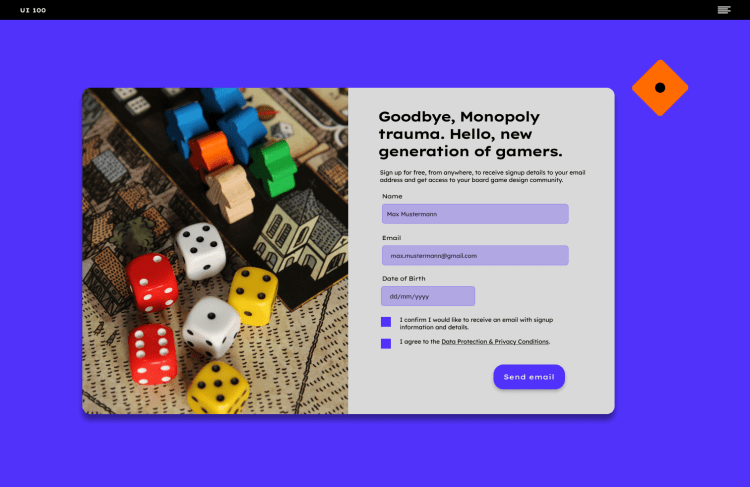
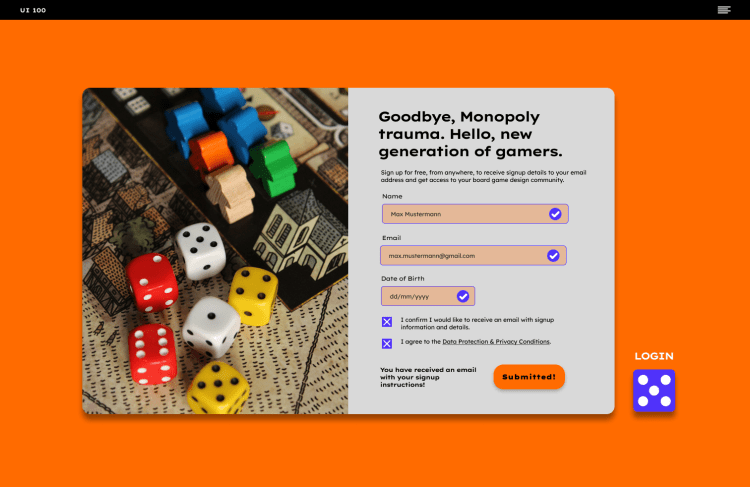
Functionality: Once users enter all basic data and click ‚Send email‘, they will receive a confirmation email. There will be error states if something is not entered correctly, as well as auto-fill suggestions and SSO compatibility. When they click ‚Send email‘, the CTA will change color, the background and form fields will change color, and the copy will read ‚Submitted!‘ Additionally, the dice will tumble downwards and become a login button in order to create a celebratory micro-moment.
Interaction: Users enter their name, email address, and date of birth before accepting the terms and conditions. In this case, they need to accept a confirmation email to request access to the services offered.
Elements: Large Image, Heading, Form Fields [Subheadings, Placeholder Text], Checkboxes, CTA, Dice Animation.
_________________________________________________________________________________________
Would you like to see some images or get to know more about my previous projects?
 Grace Hélène